Abstract Geometric Shape Monoline 125
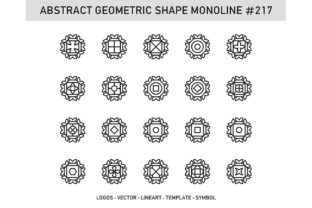
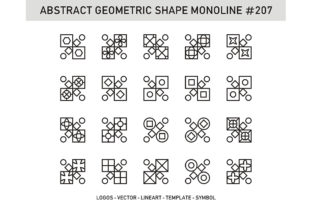
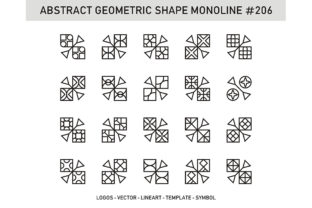
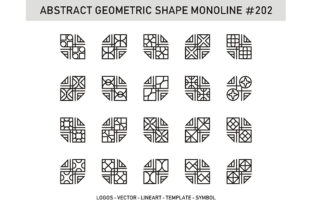
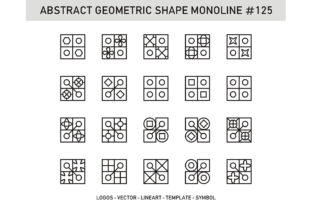
Abstract Geometric Shape Monoline 125 is a vector-based design asset consisting of a curated set of 125 minimalist, abstract geometric forms rendered in a consistent single-line (monoline) style. It is distributed as a downloadable digital package containing both EPS and JPG file formats. The collection emphasizes clean contours, balanced proportions, and visual neutrality—making it suitable for applications where clarity, scalability, and stylistic restraint are priorities.
Why Evaluate Abstract Geometric Shape Monoline 125?
Designers, illustrators, educators, and product developers often seek reusable, adaptable visual elements that support consistency without dominating composition. Abstract Geometric Shape Monoline 125 fits this need by offering a cohesive set of non-representational forms—circles, polygons, spirals, fragmented curves, and asymmetrical outlines—that avoid cultural or contextual associations. Its monoline execution ensures uniform stroke weight across all shapes, supporting legibility at small sizes and smooth rendering across devices and print outputs.
People typically explore this collection when they need to:
- Build custom icons or interface elements with a unified visual language;
- Create educational diagrams or infographics requiring neutral, scalable components;
- Develop branding assets where abstraction supports flexibility across markets;
- Prototype layouts quickly without licensing concerns tied to stock photography or complex illustrations.
Key Benefits and Practical Advantages
The EPS file format provides full vector scalability—meaning shapes retain crisp edges at any size, from mobile app icons to large-format signage. Designers using Adobe Illustrator, Affinity Designer, or other vector-compatible tools can edit individual anchor points, recolor strokes, or combine shapes into new compositions without quality loss. This makes Abstract Geometric Shape Monoline 125 particularly useful in iterative workflows where customization is expected.
The included JPG files serve as immediate-use raster previews: helpful for quick mockups, presentations, or platforms that don’t support vector imports. While JPGs lack editability, their inclusion lowers the barrier to initial evaluation and integration—especially for non-designers reviewing assets before procurement or implementation.
Because the shapes are abstract and monoline, they carry minimal visual noise. This supports accessibility considerations such as sufficient contrast when paired with appropriate backgrounds, and reduces cognitive load in information-dense interfaces. Their stylistic simplicity also eases translation across languages and regions, avoiding unintended symbolism.
Tradeoffs and Important Considerations
Monoline execution imposes inherent constraints. Shapes with tight curves or intersecting paths may appear visually thinner or less stable than weighted-line alternatives—particularly at very small sizes or low-resolution displays. Users expecting bold, high-impact silhouettes or tactile depth should recognize that Abstract Geometric Shape Monoline 125 prioritizes precision over presence.
The abstract nature of the forms means they do not convey specific meaning out of context. A designer seeking instantly recognizable symbols—for example, a “play” button or “settings” icon—will need to pair these shapes with labels, animations, or supplementary visual cues. They function best as building blocks, not standalone communicators.
File organization matters in practice. Users should verify whether the EPS file delivers shapes as grouped objects, individual layers, or a single compound path. Some workflows require ungrouped, named layers for efficient selection and styling; others benefit from pre-aligned grids or consistent artboard sizing. Reviewing preview images or documentation (if available) helps assess structural readiness for intended use cases.
Situations Where Abstract Geometric Shape Monoline 125 Is a Strong Fit
This collection aligns well with projects emphasizing modularity and long-term maintainability. For instance, design systems teams building component libraries may use these shapes as base elements for status indicators, navigation controls, or decorative dividers—knowing that color, spacing, and scale can be adjusted systematically without breaking visual harmony.
Educational publishers creating STEM-related materials often choose abstract geometry to illustrate concepts like symmetry, topology, or algorithmic patterns. Because Abstract Geometric Shape Monoline 125 avoids realism, it directs attention to structure rather than subject matter—an advantage when teaching foundational principles.
Brands pursuing a restrained, future-facing identity—especially in tech, finance, or sustainability sectors—may find value in integrating these shapes into motion graphics, data visualizations, or environmental signage. Their neutrality allows them to complement typography and photography without competing for attention.
When Alternatives May Be More Appropriate
If a project requires expressive line variation—such as tapered strokes, calligraphic flourishes, or pressure-sensitive weight shifts—then monoline assets like Abstract Geometric Shape Monoline 125 will fall short. Hand-drawn or brush-style geometric sets would better serve those aesthetic goals.
For applications demanding semantic clarity—like public wayfinding, medical device interfaces, or children’s learning tools—highly abstract forms may introduce ambiguity. In those cases, tested icon standards (e.g., ISO/IEC or WCAG-compliant symbol sets) or custom-designed pictograms with clear affordances offer more reliable communication.
Users needing extensive customization—such as automatic generation of shape variants via scripting, parametric adjustments, or AI-assisted layout—should confirm whether the EPS structure supports automation. Some monoline collections embed shapes as embedded raster previews or flattened paths, limiting programmatic manipulation.
Making an Informed Decision
To determine whether Abstract Geometric Shape Monoline 125 meets your needs, begin by identifying your primary use case. Ask: Will these shapes be edited, scaled, or reused across multiple outputs? If yes, prioritize verifying EPS editability and layer organization. If speed of integration matters most, test the JPG files in your target environment—checking resolution suitability and background contrast.
Compare against your existing design system or brand guidelines. Do current elements rely on weight variation, texture, or color gradients? If so, assess how easily monoline shapes can coexist without appearing visually disconnected. Small-scale testing—placing a few shapes alongside live content—often reveals integration strengths or gaps faster than theoretical analysis.
Finally, consider longevity. Vector-based abstract geometry tends to age well compared to trend-driven illustration styles. However, ensure the collection’s scope matches your projected usage volume. A set of 125 shapes offers breadth, but if your work consistently uses only 10–15 recurring forms, a smaller, more specialized pack may reduce clutter and improve workflow efficiency.
Ultimately, Abstract Geometric Shape Monoline 125 serves as a pragmatic tool—not a universal solution. Its value emerges most clearly when matched deliberately to constraints around scalability, neutrality, and adaptability—and when evaluated alongside realistic expectations about abstraction’s role in visual communication.